 Gon
GonFree up space on your Mac. Safely.
Gon clears Xcode DerivedData, stale node_modules and caches, and moves everything to the Trash first, so you can Undo.
Coming soon
Free scan, planned one-time $19, no subscription. macOS 14+, Apple Silicon and Intel.
How it works
Scan first. Nothing moves until you say so.
Free
Scan
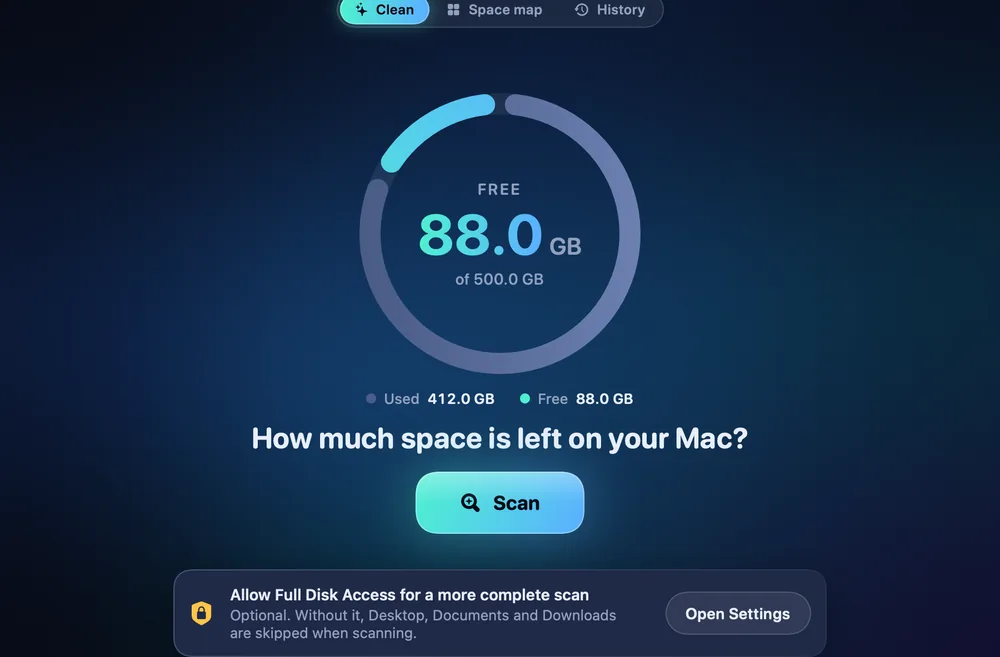
One button. Gon measures names and sizes and shows how much you would get back.
Your call
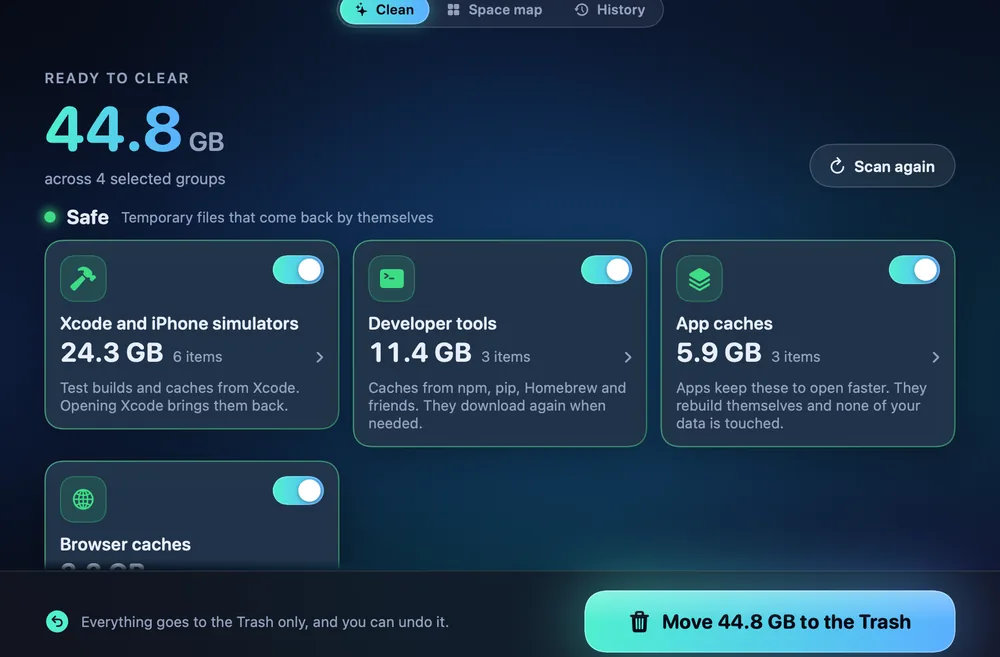
Review, then move to the Trash
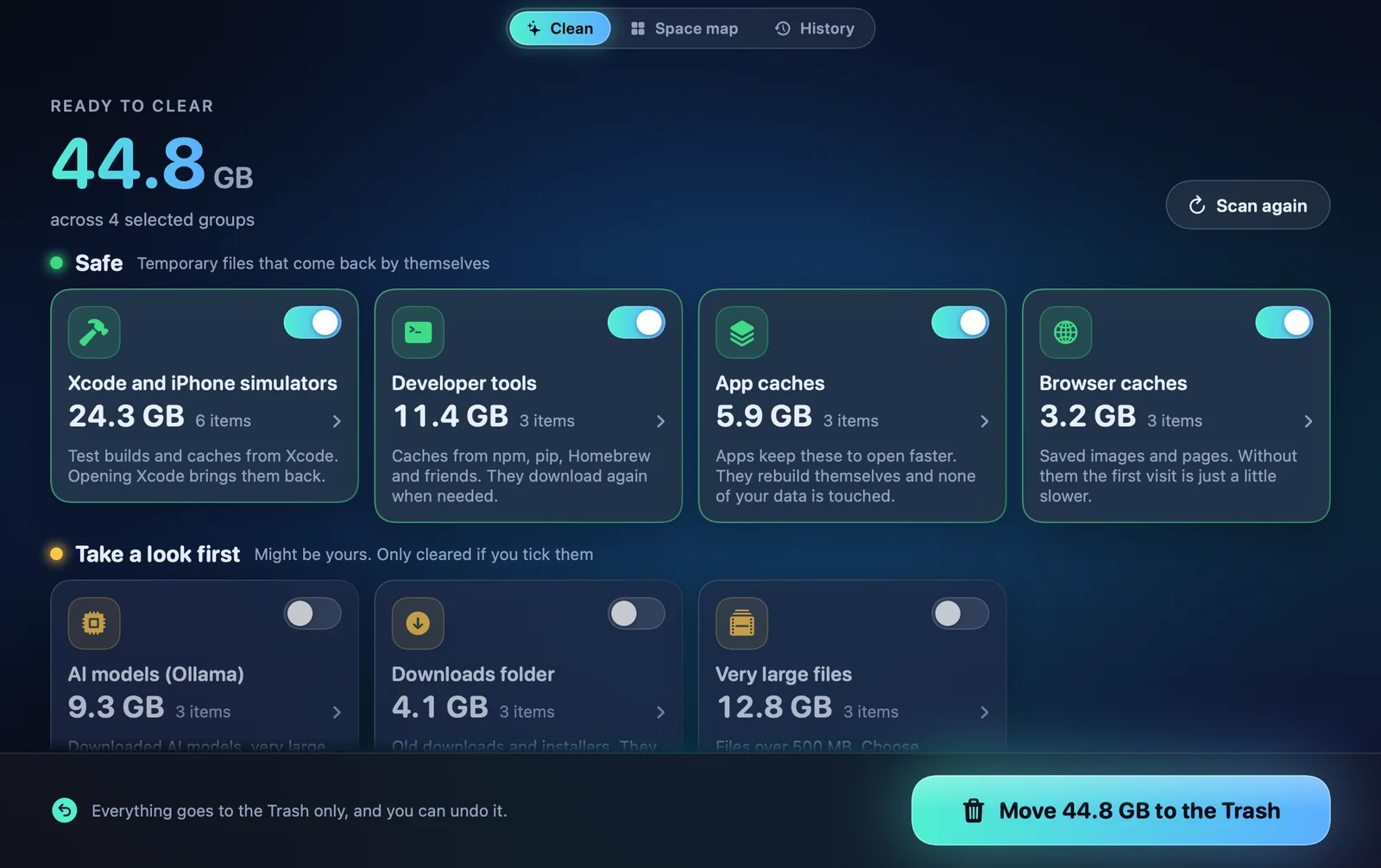
Safe items are pre-selected. Review items stay off until you tick them.
Reversible
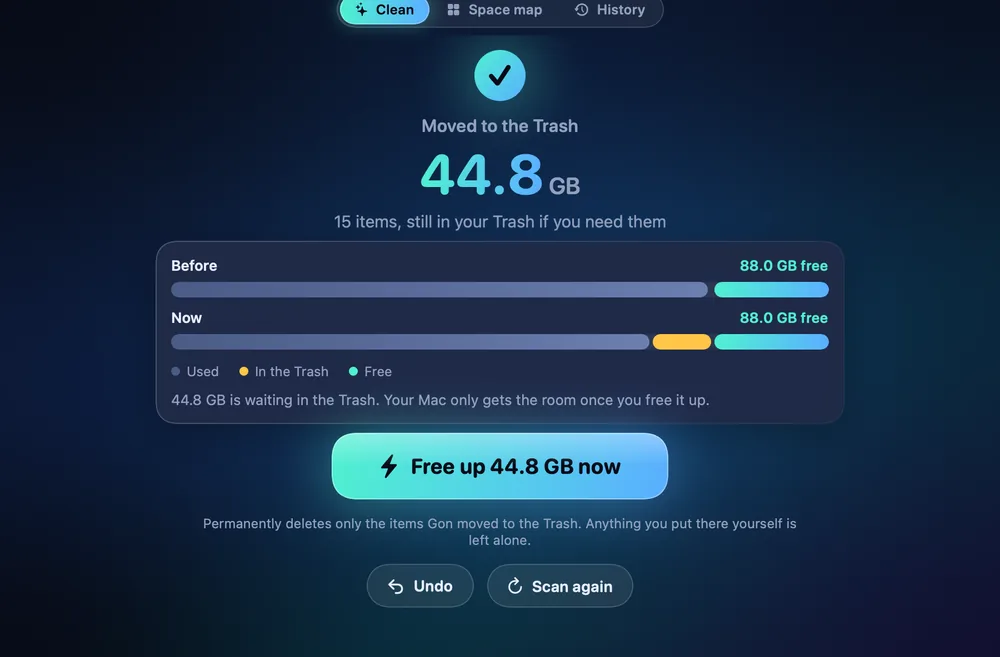
Undo, or free up
Undo puts items back. “Free up” permanently frees only what Gon moved, after you confirm.
For developers
It knows where developer Macs fill up.
Things that regenerate on their own are marked safe. Anything larger or more personal is marked review, and you approve each one.
- App and browser cachesSafe
- Xcode build data and old device support filesSafe
- Simulator cachesSafe
- Package manager caches (npm, pnpm, Yarn, pip, Gradle, Cargo)Safe
- Old log filesSafe
- Old Xcode archives and buildsReview
- Build folders in projects you haven’t touched in monthsReview
- Old downloads and installersReview
- Very large filesReview
- Leftovers from apps you removedReview
- Downloaded AI modelsReview
Safe items are pre-selected. Nothing in Review is selected for you.
Inside the app
More than a Scan button.
Captured from Gon itself, shown with sample data.
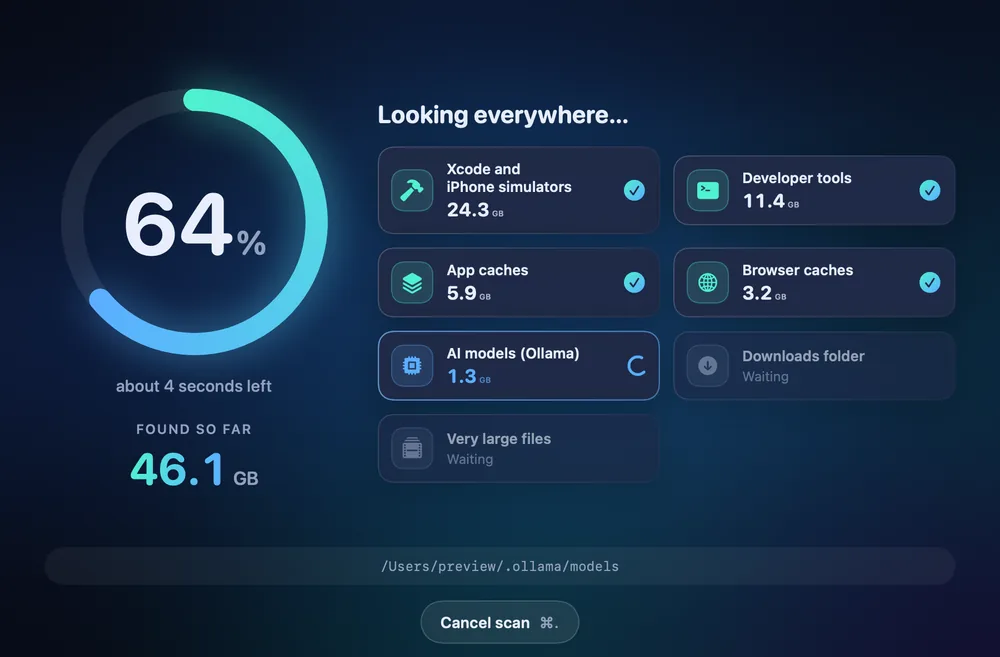
Live progress
Percent and time remaining while it scans. In our tests, a 3.5-million-file home folder scanned in about 16 seconds on an Apple Silicon Mac with SSD.
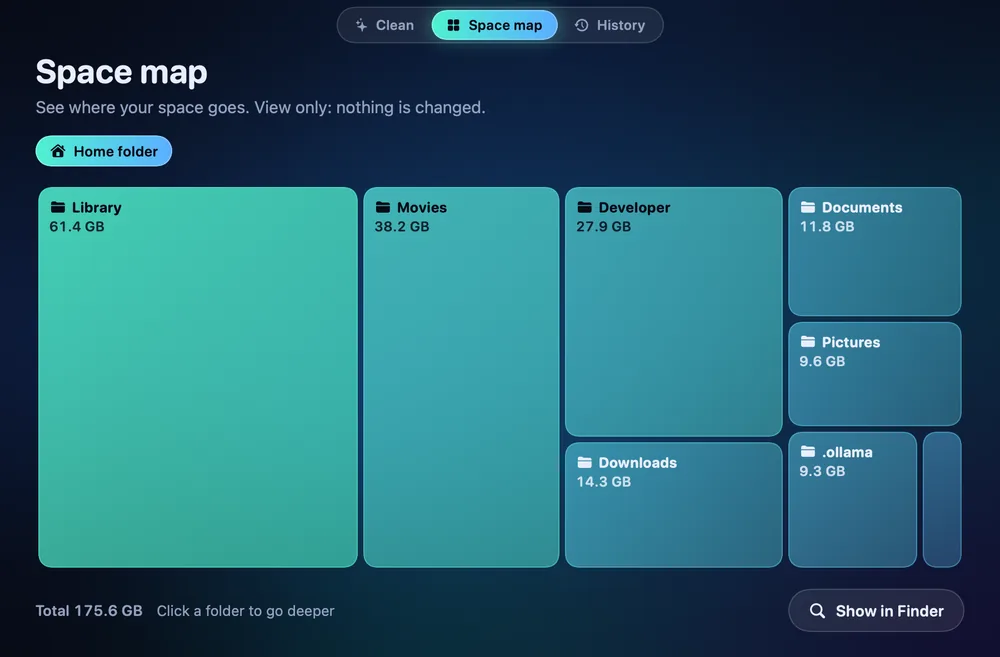
Space map
A treemap of which folders use your disk, so you can decide for yourself. View only.
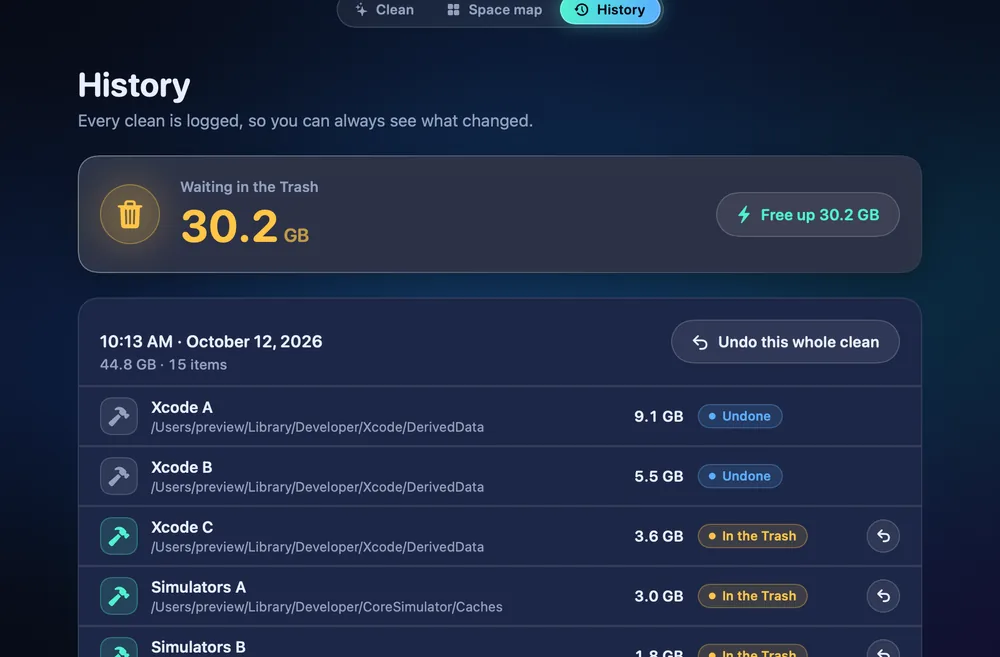
History
Every cleanup is logged: what moved, how much space it freed, and what is still in the Trash.
Safety
Checked again before anything moves.
Moving to the Trash is the first safeguard. The guard is the second: at removal time, every item must pass checks like these.
- Canonical paths
- Every path is resolved to its real location first, so symlink tricks cannot point Gon at something else.
- Allow-list
- Gon can only touch locations on a known list. Anything else is off limits.
- Protected folders win
- A deny always beats an allow.
- Unchanged since scan
- If an item was replaced after the scan, it is skipped.
- Skips open apps
- Caches of apps that are running right now are left alone.
- Skips recent files
- Safe items modified in the last 10 minutes are skipped.
Never touched
- Keychains
- Messages
- Photos libraries
- ~/.ssh
- Password managers
- Documents, Desktop, Downloadsreview only, trashed only if you tick them
“Free up” permanently frees only the items Gon itself put in the Trash, after you confirm. Nothing else in your Trash is touched.
At a glance
Plain terms.
| Scan | Free, with full results before you pay |
|---|---|
| Cleaning | Moves to the Trash first, one-click Undo |
| Auto-clean | Optional. Safe items only (caches and old logs), weekly or when space runs low. Never review items. |
| Full Disk Access | Optional. Without it Gon scans less, and skips Desktop, Documents and Downloads. |
| Network | License check only. No analytics, no telemetry, no account. |
| Requires | macOS 14 (Sonoma) or newer. Universal app. |
| Built with | SwiftUI. Menu bar item and launch at login are optional. |
| Languages | English and Vietnamese, following your system language |
Gon license
Planned launch price. Regular price $29. One-time payment.
- Works on up to 3 of your Macs
- Free scan, pay only to clean
- 14-day refund
- No subscription, no account
Planned launch price: $19.
FAQ
Questions, answered.
When is Gon available?
Soon. Join the list and we’ll email you once at launch.
Is Gon safe?
Gon is built around not breaking things. By default, nothing is deleted straight away: everything goes to the Trash first, and you can undo it in one click. (Optionally, Gon can free the Trash items it moved automatically after 7 or 30 days. That is off by default and asks for confirmation.) A multi-step safety guard checks every item before it is touched. Keychains, Mail, Messages, Photos libraries, .ssh and password managers are never touched. Files in Documents, Desktop and Downloads only appear as ‘review’ items, and only go to the Trash if you tick them.
What does Gon delete?
Things that regenerate on their own: app and browser caches, Xcode DerivedData, old iOS DeviceSupport, simulator caches, package-manager caches (npm, pnpm, yarn, gradle, pip, cargo) and old logs. Larger or more personal items show up as ‘review’ items that you approve one by one: stale node_modules, .venv and target folders in old projects, old downloads and installers, files over 500 MB, leftovers of removed apps, Ollama models, and Xcode archives and Products. You see the full list and sizes before anything moves.
Why does Gon ask for Full Disk Access?
macOS hides some folders from apps until you allow it. With Full Disk Access Gon can see more of your disk. It is optional: without it Gon still works, it just scans less, and Desktop, Documents and Downloads are skipped entirely. Gon measures names and sizes; it never opens, reads or uploads the contents of your files.
How does Undo work?
Cleaned items are moved to the Trash, not erased. Press Undo and Gon puts them back where they were, as long as the original location is still available. If you want the space back for good, “Free up” permanently frees only the items Gon itself put in the Trash, and only after you confirm. Your own older Trash contents are left alone.
Does Gon need the internet?
Not to scan or clean. The only network request is the license check, which sends your license key and your Mac’s name to the payment provider (Lemon Squeezy). No analytics, no telemetry.
What does it cost, and is there a subscription?
No subscription. Gon is a one-time purchase: $19 at launch (regular price $29), good for up to 3 of your Macs. Scanning is free, so you can see how much space you would get back before you pay. Cleaning needs a license.
Can I get a refund?
Yes. Within 14 days of purchase, email us and you get your money back. See the refund policy.
Does it run on Intel Macs and older macOS?
Gon needs macOS 14 (Sonoma) or newer. It is a universal app (Apple Silicon and Intel). In our tests, a 3.5-million-file home folder scanned in about 16 seconds on an Apple Silicon Mac with SSD; times on other Macs will vary.
What about my privacy?
Everything happens on your Mac. Gon has no telemetry and no account. See the privacy policy.
Which languages does it support?
English and Vietnamese. The interface follows your system language.
Find out how much space you can get back.
The free scan will be available at launch. It takes seconds and changes nothing.
Coming soon for macOS 14 or later. Universal app (Apple Silicon and Intel).